The Big Workspace Update
Work just got a whole lot smoother.
We’ve been busy under the hood making sure the app doesn’t just work, but feels great to use. This update is all about helping your team move faster and stay in sync without the usual "where was that file?" or "who’s in charge of this?" friction. Here’s a look at what’s new. 👇
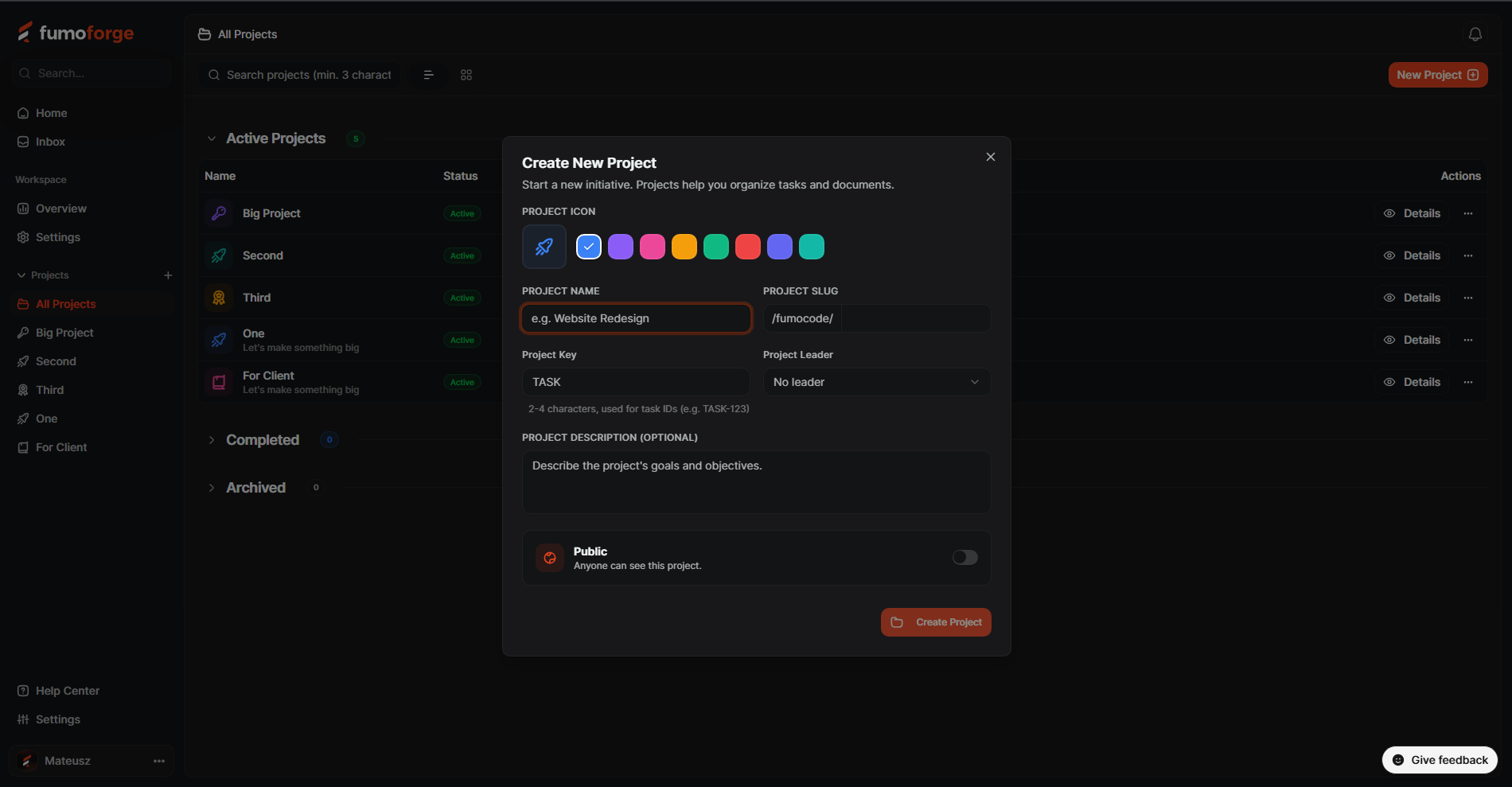
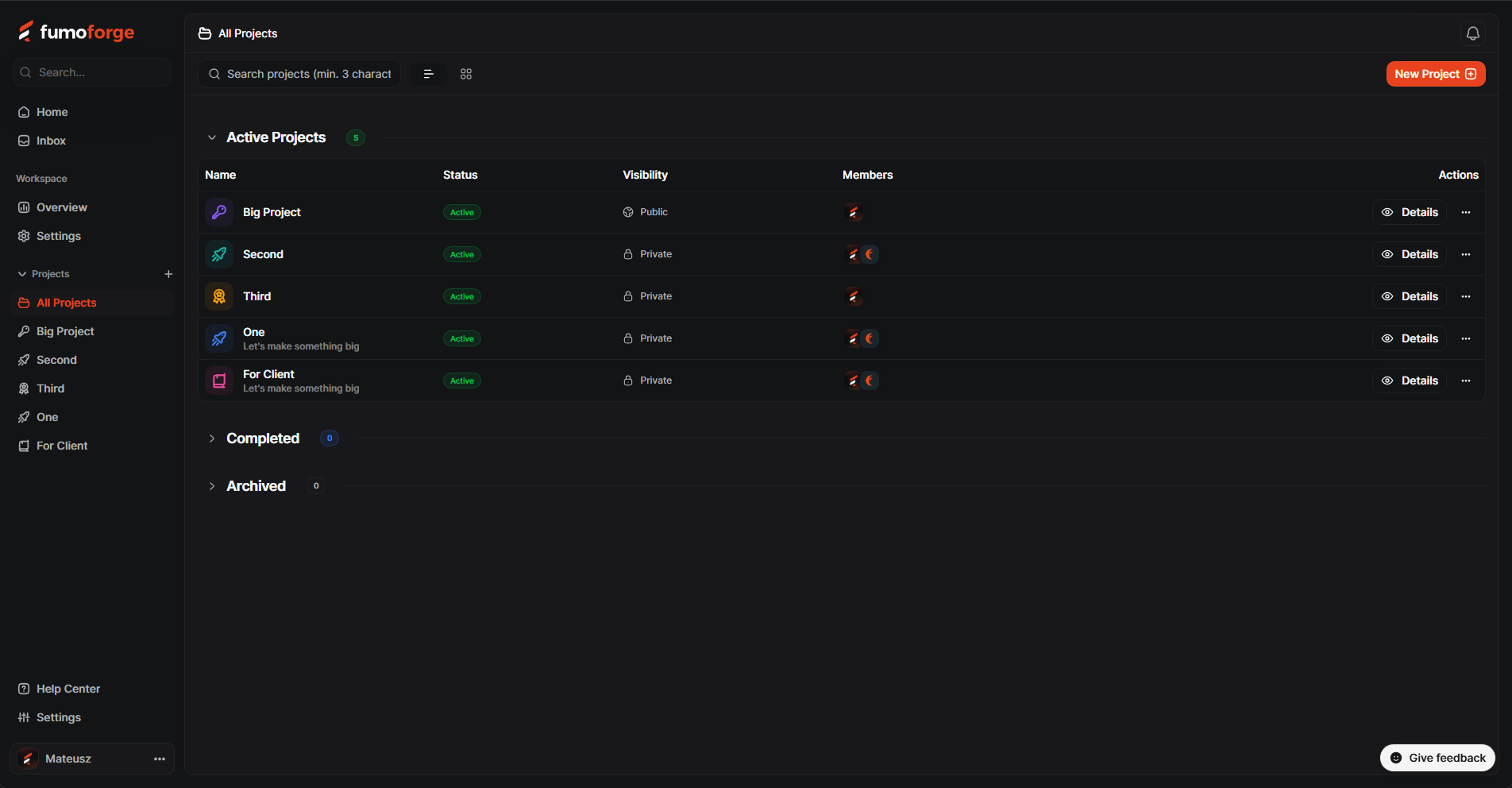
🏗️ A brand new home for your Projects
We’ve completely reimagined how projects look and feel. Whether you’re juggling three projects or thirty, it’s now much easier to keep things organized and find exactly what you’re looking for.
- Give it some personality: Add custom icons and colors so you can spot your project at a glance.
- Know the owner: Assign a project leader so everyone knows who’s steering the ship.
- Privacy by design: Set projects to Public or Private depending on who needs to see the work.
- Everything in its place: Use unique project keys to keep your workspace tidy, and manage your team and roles from a dedicated settings area.
✍️ A modern, distraction-free Editor
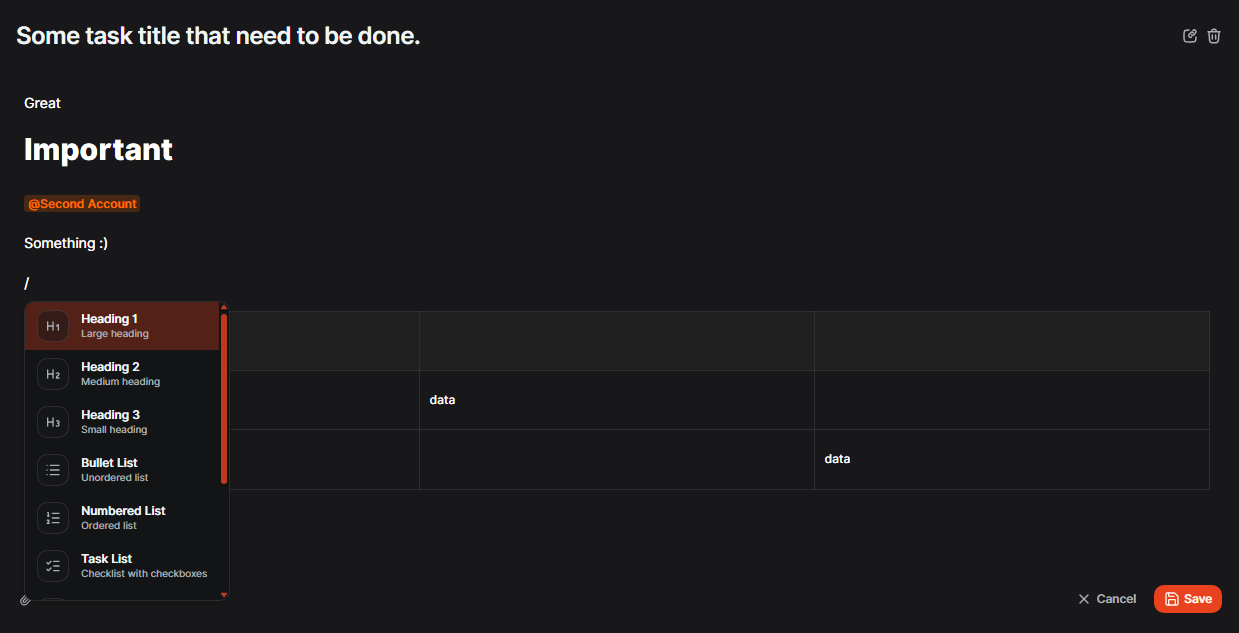
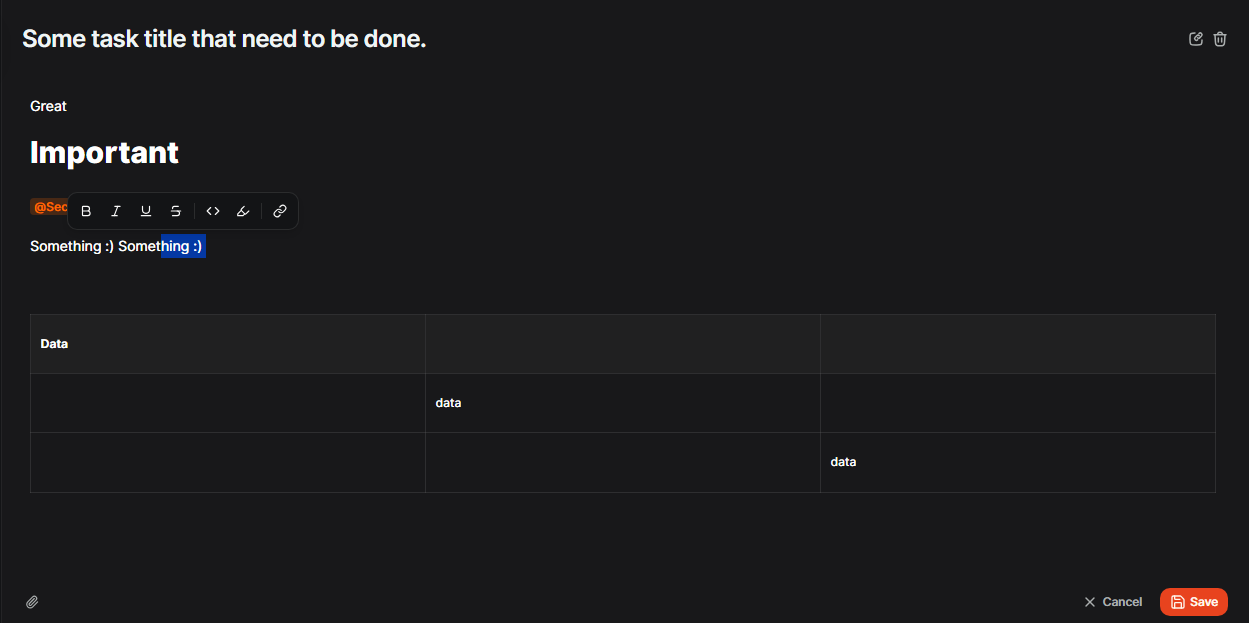
We believe the best writing happens when the interface disappears and leaves you alone with your thoughts. That’s why we’ve completely reimagined our editor experience. We’ve said goodbye to bulky, static toolbars and replaced them with a sleek, contextual system that stays out of your way until you need it.
- The Slash Command (/): Type a forward slash on a new line to summon headings, code blocks, or tables instantly.
- Floating Bubble Menu: Highlighting text now reveals a quick menu for bolding, linking, or highlighting—no more reaching for the top toolbar.
- Better Formatting: We’ve added native tables, interactive task lists with checkboxes, and vibrant yellow highlights to make your notes pop.
- Tidy Attachments: The file attachment button has moved to the bottom-right corner, leaving your writing area clean.
✅ Effortless Tasking & Collaboration
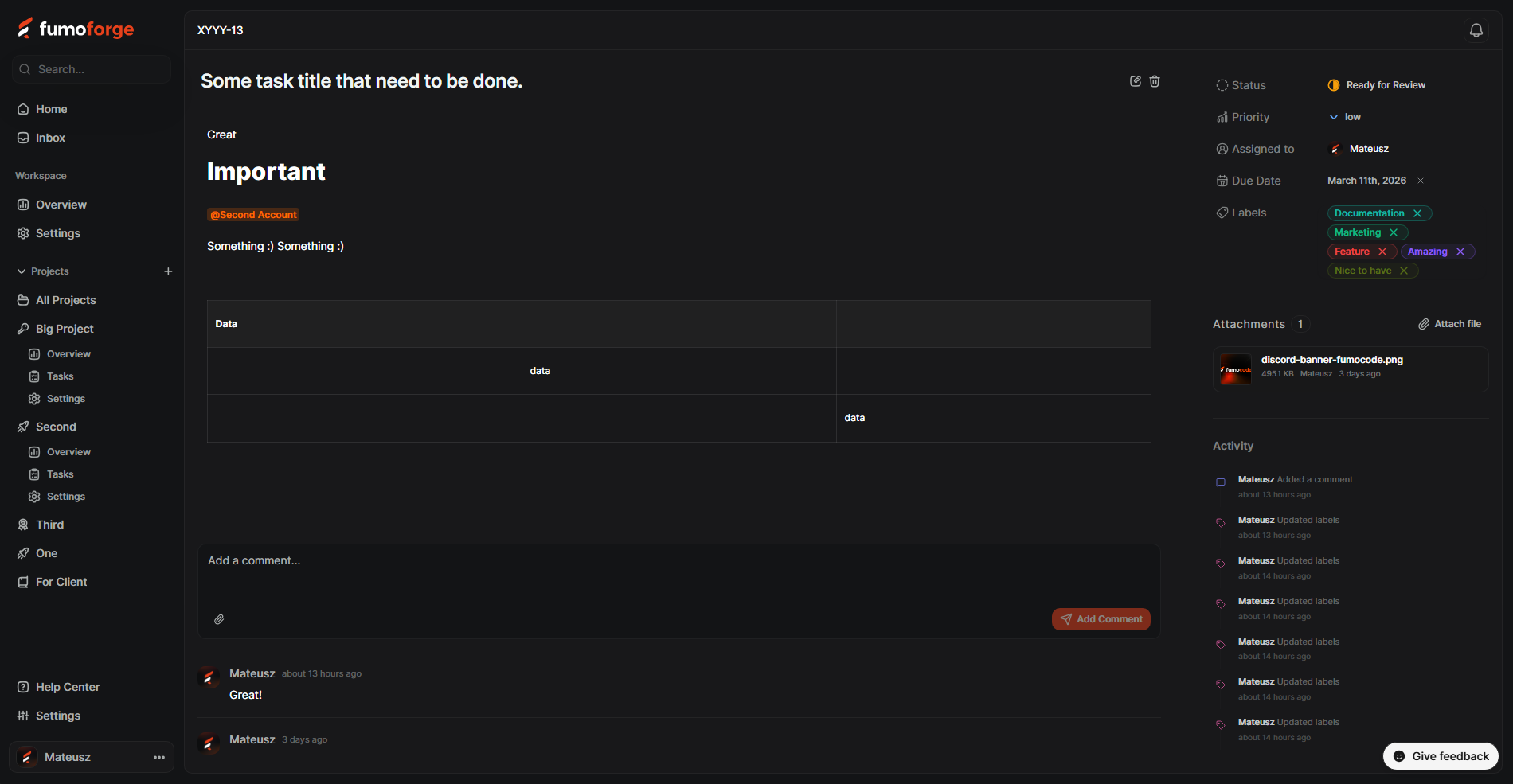
Creating tasks shouldn't feel like a chore. We’ve cleaned up the interface to help you get ideas out of your head and into the app with zero distractions.
- Talk it out: You can now leave comments directly on tasks. No more digging through emails to find that one piece of feedback.
- Stay in the loop: Use @mentions to grab a teammate's attention in descriptions or comments. They’ll get a ping, and you’ll get an answer.
- Keep files handy: Drag and drop attachments directly into tasks or comments. Everything stays right where the work is happening.
- Total label control: Create labels for your whole workspace or keep them specific to a single project. It’s your call.
- Full task history: We now track exactly who created a task, when it happened, and every status change in between. No more "who moved this to Done?" mysteries.
- Never miss a deadline: We've added a Due Date field to tasks. To help you prioritize, the date badge changes color as the deadline approaches and turns a bright red "Overdue" once the time is up. ⏰
- Cleaner Boards & Tables: We've polished the Kanban and Table views to reduce clutter, making it much easier to scan your work and see exactly what needs your attention.
- Focused Task Details: We’ve retired the "quick view" side panel in favor of a dedicated, full-page task view. This gives your tasks more room to breathe and ensures you have a distraction-free space for deep work and collaboration.
📥 Never miss a beat with the New Inbox
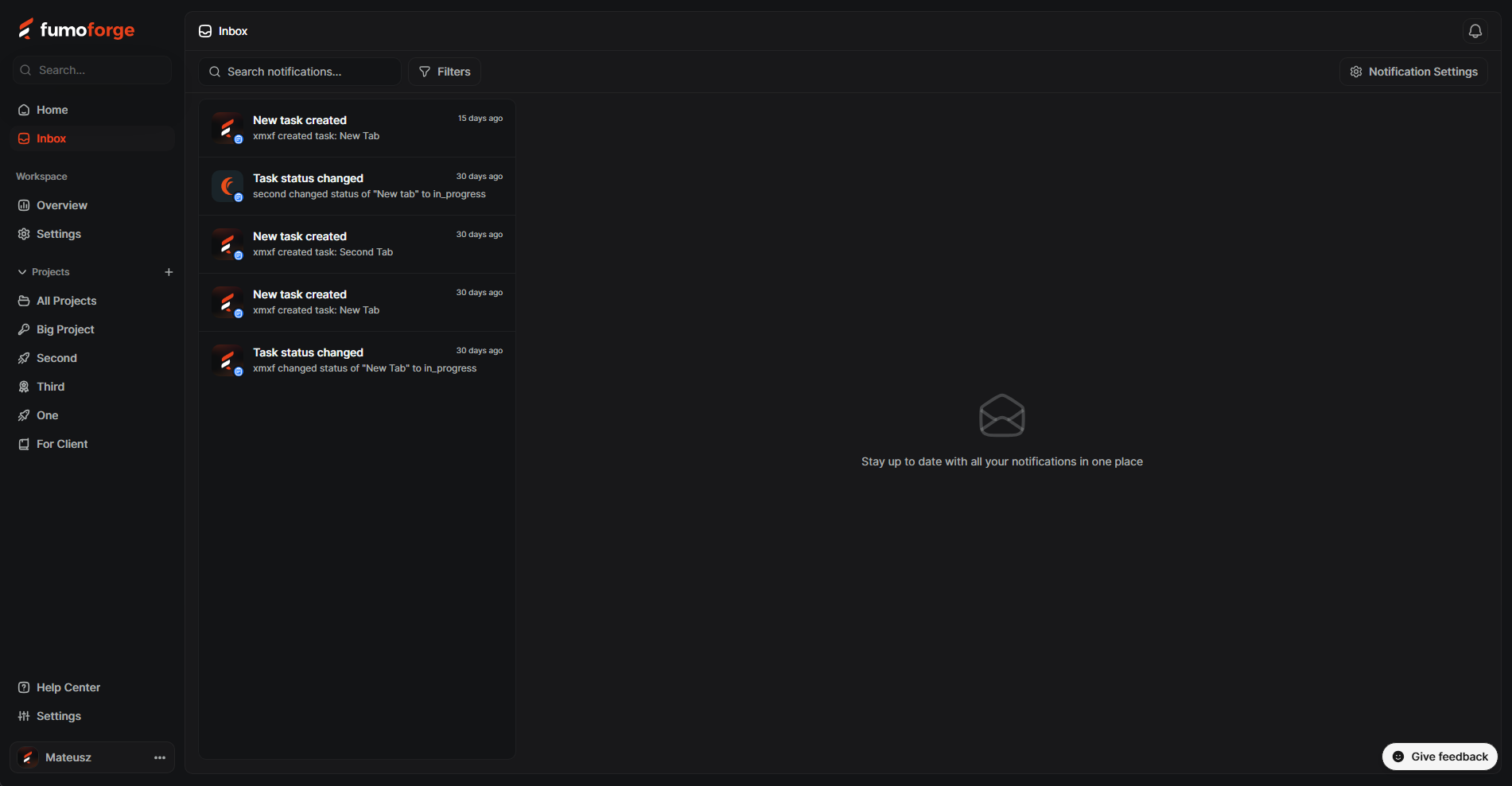
Tired of hunting for updates? We’ve built a brand-new Inbox that acts as your command center. Whether you were mentioned in a comment or a task status changed, you’ll find it all right here. It’s the easiest way to stay on top of your day without the noise.
📊 Better data, better decisions
The Workspace View: Your Command Center
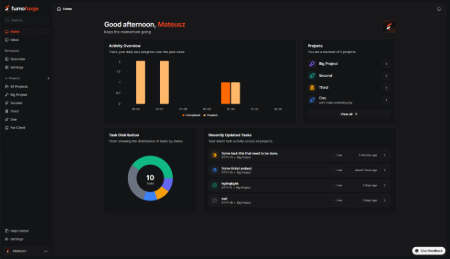
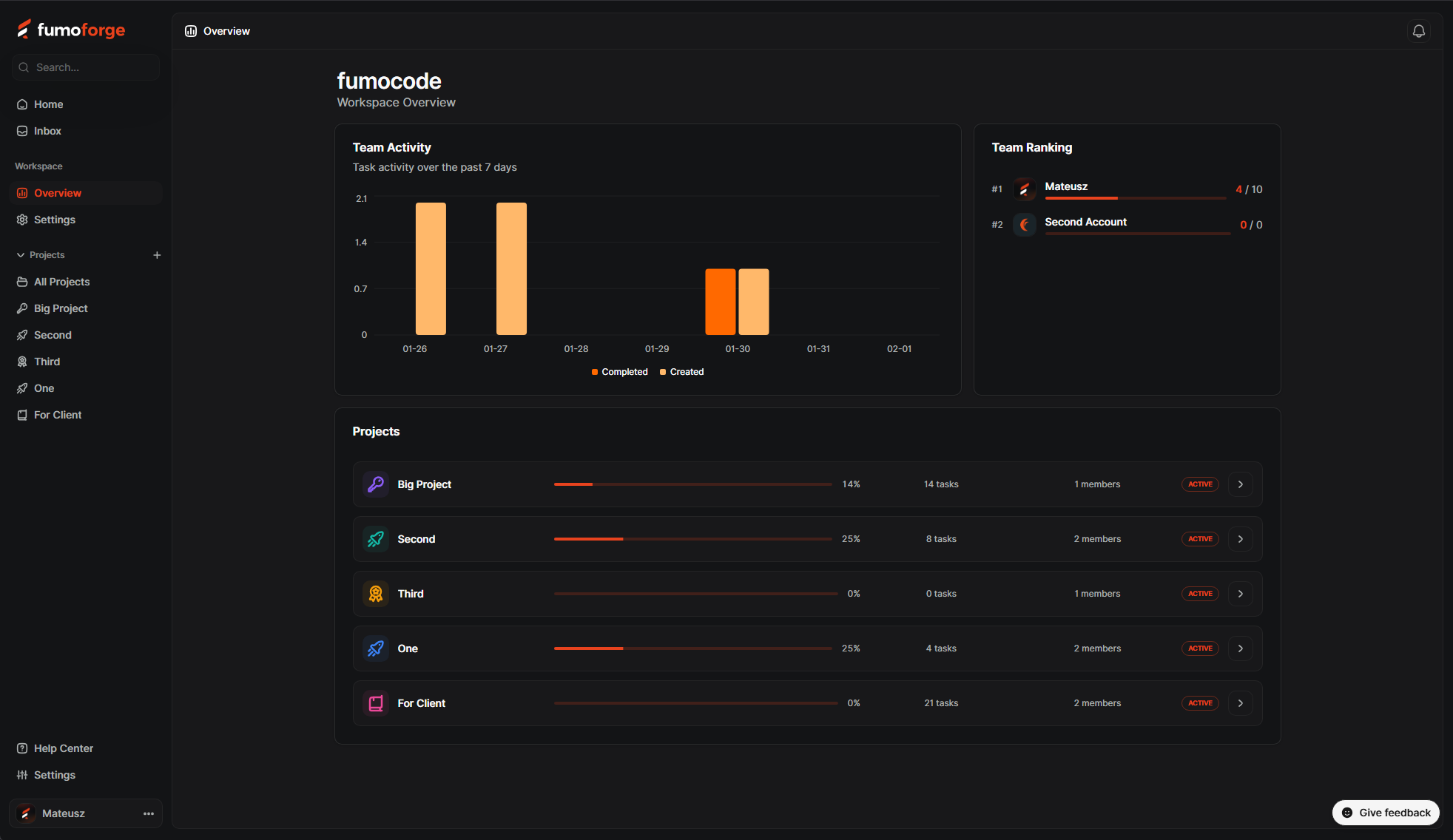
Ever wonder which projects are flying and which ones need a little nudge? The new Workspace Overview gives you a bird’s-eye view of everything happening across your entire organization.
- Project Progress at a Glance: See a full list of your projects complete with beautiful progress bars, task counts, and member totals. It’s never been easier to see exactly how close you are to the finish line.
- The 7-Day Pulse: Quickly spot trends with our activity chart showing tasks created versus tasks completed over the last week.
- The Team Ranking Leaderboard: Time for some friendly competition! Our new leaderboard shows who’s been busy closing the most tickets lately. It’s a great way to celebrate your team’s heavy hitters and keep the momentum high. 🏆
The Project Overview: A Deeper Dive
When you need to get into the nitty-gritty of a specific project, the updated Project Overview has your back. We’ve added new visuals to help you understand your workflow without needing a degree in data science.
- Task Distribution Breakdown: Our new distribution chart shows you exactly where your tasks are sitting—whether they’re "In Progress," "Stuck," or "Done"—so you can clear bottlenecks before they become headaches.
- Real-Time Stats: Instantly see your total task count, what’s currently in progress, and your overall completion percentage.
- Weekly Activity: Just like the workspace view, you get a dedicated 7-day chart for each project to track the ebb and flow of your team's productivity.
✨ Quality of Life Improvements
- Cleaner Links: We’ve shortened our URLs! We moved from dash.fumoforge.app to just fumoforge.app. Your links are now much prettier and easier to share.
- Stay logged in: We bumped sessions from 7 days to 30 days. Fewer logins, more working.
- Better permissions: We’ve refined how roles work to give you better control over who can manage members or delete projects. We also fixed a bug with permission grants in the workspace team section and tightened the security guards so only owners and admins can access high-level workspace settings.
- Audit Log: Admins and Owners can now access a full Audit Log in Workspace Settings. It's the perfect way to keep track of important changes across your organization.
- Smoother Login: The Google login flow is now faster and more reliable.
🛠️ Fixes & Reliability
Let’s be honest: bugs are annoying. We spent some time hunting them down to make the app feel more solid. We’ve replaced those vague "Something went wrong" messages with clearer ones, and we've smoothed out the loading states so you aren't staring at blank screens. It’s the same app you love, just... better.